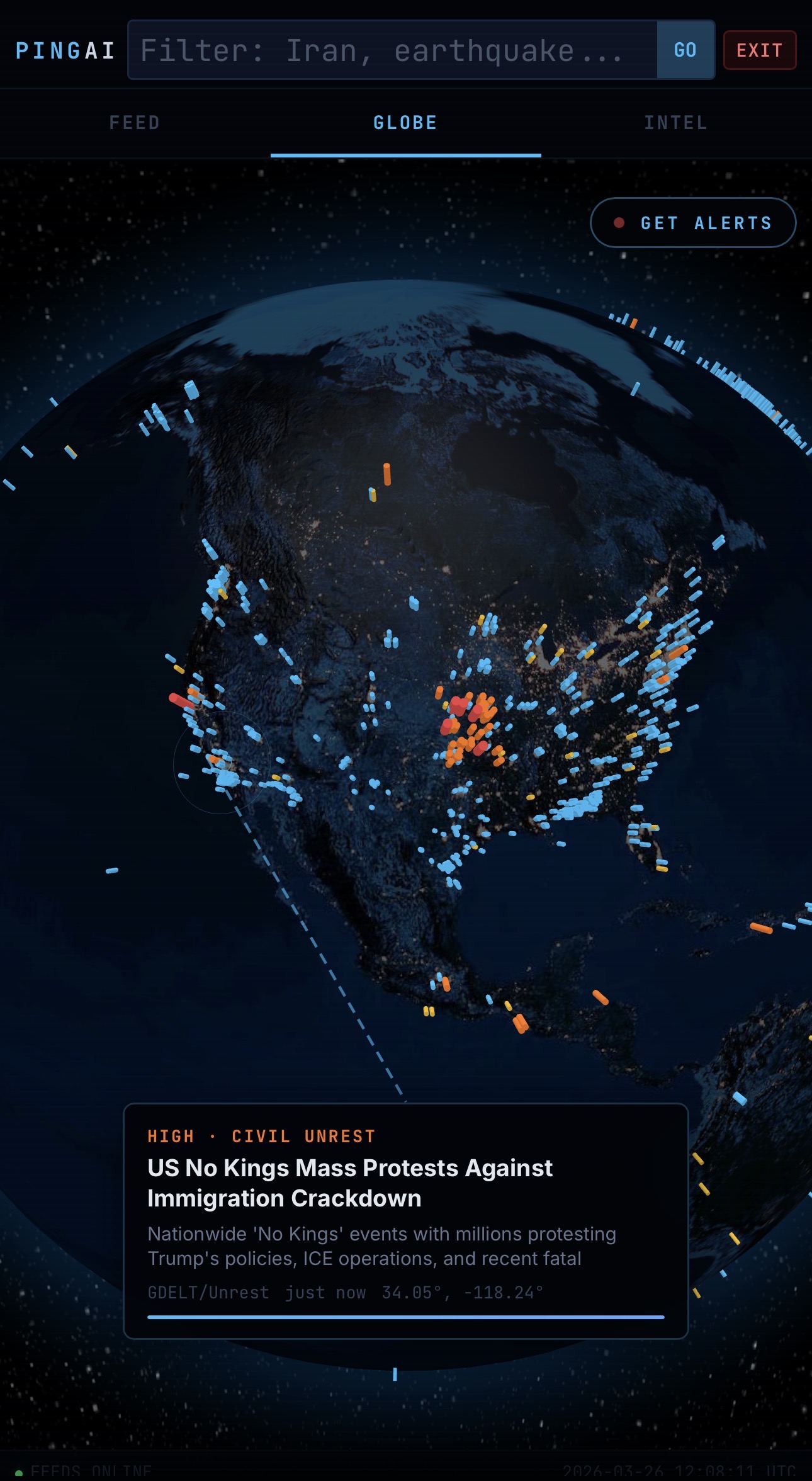
We just shipped something we've been quietly obsessing over for weeks. Cinema Mode — a full-screen OSINT intelligence dashboard that turns your browser into a live window on the world. No clutter. No distractions. Just real-time global events, streaming data, and AI analysis — rendered in the dark, the way intelligence was meant to be consumed.
What Is Cinema Mode?
Cinema Mode is a dedicated, immersive view of the Conflict Tool — Ping AI's flagship OSINT dashboard. When you switch into Cinema Mode, the UI strips away everything except the data. The nav disappears. The panels compress. A live 3D globe takes center stage.
Think of it as DEFCON in your living room, or a command center on your desk. It's designed to run on a large monitor, a second screen, or even a TV mounted on the wall — always on, always updating, always aware.
What You're Looking At
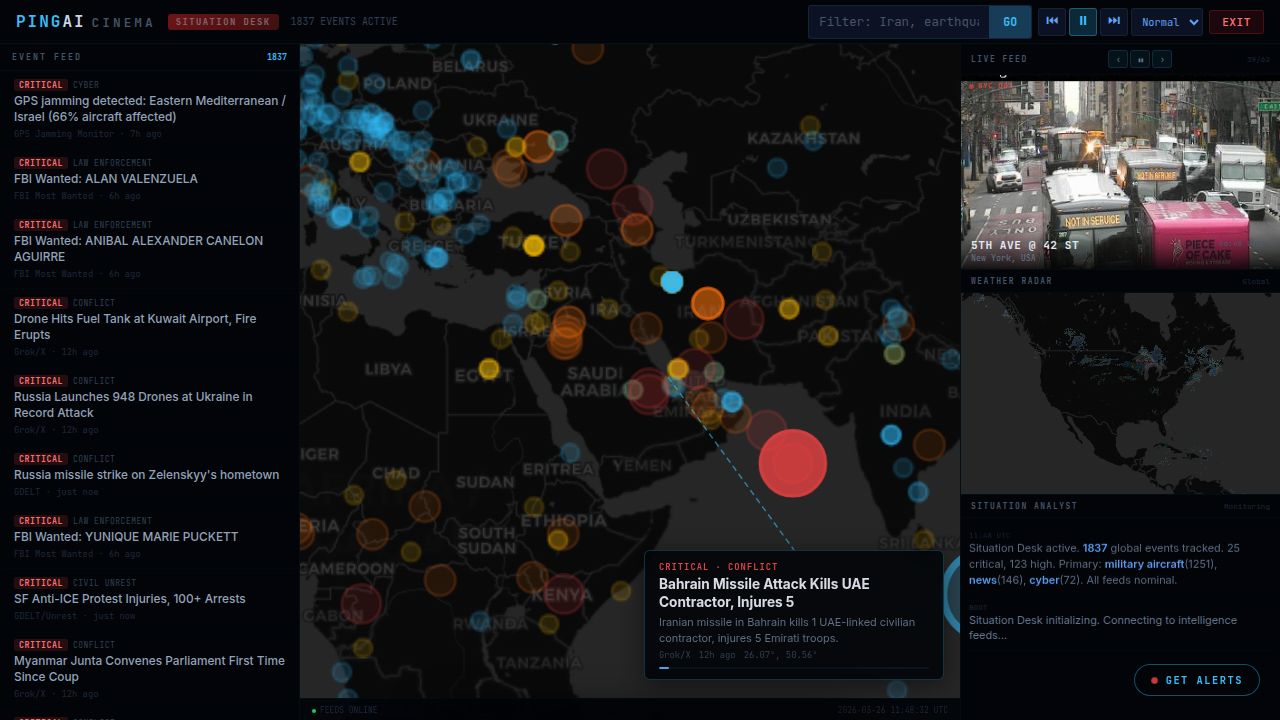
At any given moment, Cinema Mode is showing you:
- A live 3D globe — built on Globe.GL with a night-side Earth texture and city lights, plotting real-time events as glowing bars that rise off the surface: conflicts, earthquakes, disease outbreaks, cyberattacks, maritime incidents, and more
- 34 active map layers — toggle between conflict zones, vessel tracking, flight paths, weather radar, radiation monitoring, GPS jamming data, and submarine cable infrastructure
- Live event feed — a scrolling, timestamped stream of global alerts pulled from 40+ OSINT sources updated continuously
- AI Situation Analyst — Grok-powered analysis that reads the current threat picture and generates a concise intelligence summary on demand
- Live webcams — real-time camera feeds from cities and border regions around the world
- Weather radar — NOAA radar overlay showing active storm systems in context with global events
- Global Pulse sidebar — active incident counts by category, space weather, ERCOT grid load, and top-line market data
The Intelligence Behind the Screen
Cinema Mode isn't pretty graphics on top of stale data. Every feed is live. The system pulls from USGS, EMSC, NOAA, NASA EONET, GDACS, ACLED, GDELT, CISA, WHO, ReliefWeb, and dozens of other authoritative sources — continuously, every few minutes. Vessel positions stream in real time via AIS. Aircraft are tracked live. Conflict events from ACLED update daily with location precision down to the town level.
The AI layer (xAI Grok) doesn't just display the data — it reads it. The Situation Analyst synthesizes across feeds to generate gap-filling intelligence summaries in plain language. No jargon. No noise. Just signal.
Built for Anyone Who Needs to Know
Cinema Mode was built for the kind of person who keeps a news tab open all day — but is tired of being manipulated by headlines. It's for:
- Security professionals monitoring global threat posture
- Journalists tracking developing situations across multiple regions
- Aviation and maritime operators monitoring weather and airspace
- Researchers, analysts, and policy wonks who want raw signal
- Anyone who simply wants to know what's actually happening in the world
How to Get There
Cinema Mode is live right now at pingai.chat/conflict/cinema. If you're already on the Conflict Tool, look for the Cinema button in the top navigation bar. One click and you're in.
For the best experience: go full screen (F11), dim your lights, and let it run. The world doesn't stop moving. Neither does the feed.
If you're on a Conflict Plan ($9.99/mo), you already have full access. Basic Plan ($1.99/mo) gets you the dashboard and core layers. Not subscribed yet? Start here.
The world is always on. Now you can be too.